- DATE:
- AUTHOR:
- Zowie Team
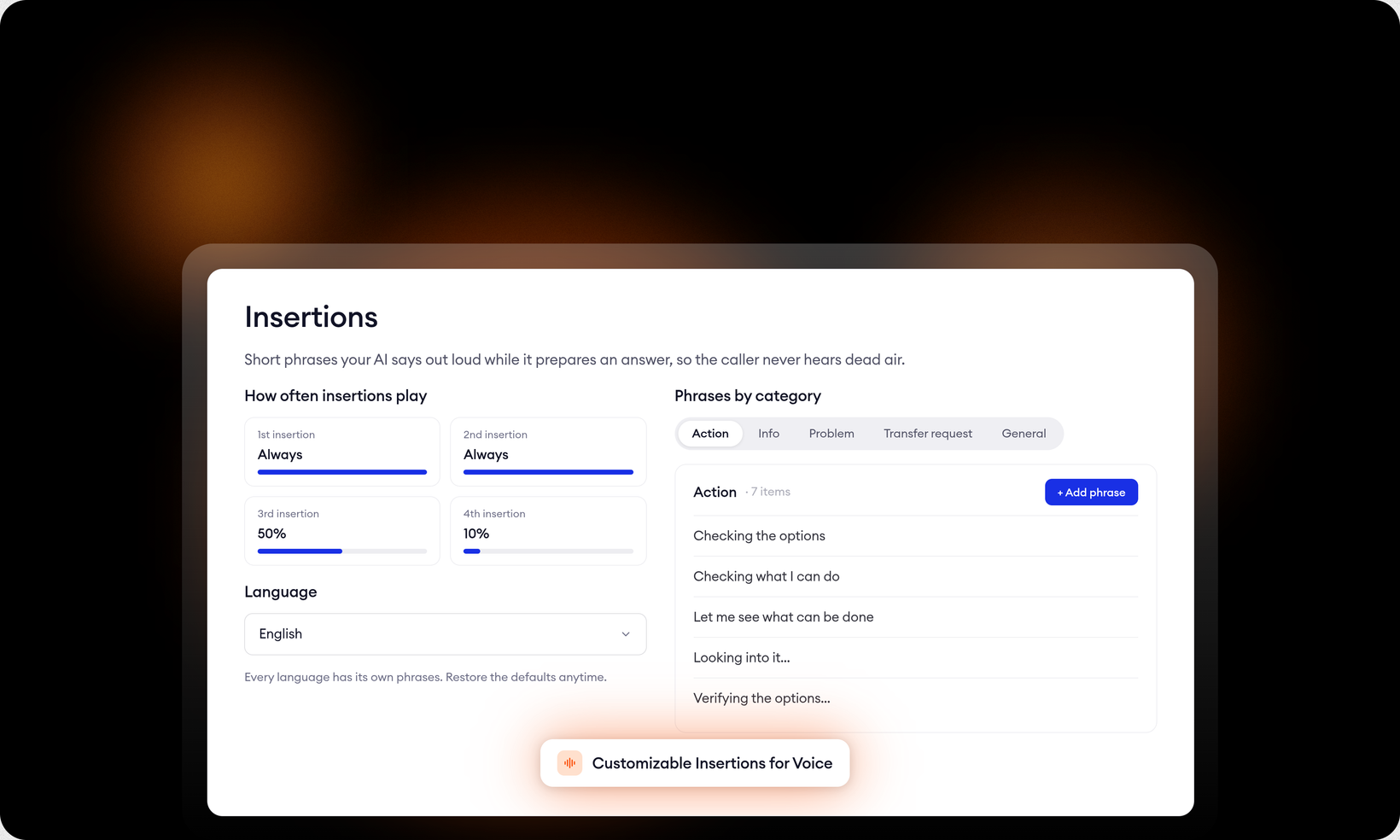
Customizable Insertions for Voice
what your AI agent says while it looks something up is now yours to control
Silence is the fastest way to lose a caller's trust. When your AI agent needs a moment to pull up an order or check a policy, going quiet reads as a dropped call or a system that broke. Insertions are the short phrases it says out loud while it works. You can now configure all of them.
phrases that match the conversation
Your AI agent sorts each caller message into one of five categories, general, action, info, problem, and transfer request, and picks an insertion that fits. A caller reporting a damaged order hears an acknowledgment, not a cheerful "Sure thing."
edit phrases per category. Add your own or adjust the built-in defaults so every insertion sounds like your brand.
customize per language. Every language your AI agent speaks gets its own set of phrases. Built-in defaults cover the most common languages, and one click restores them.
control how often insertions play. A long call may need several. Set the probability for each one in sequence so the first always plays and later ones taper off. Your AI agent stays present without turning chatty.
You'll find the new configuration in Automate → Channels → Phone → Insertions.