- DATE:
- AUTHOR:
- Zowie Team
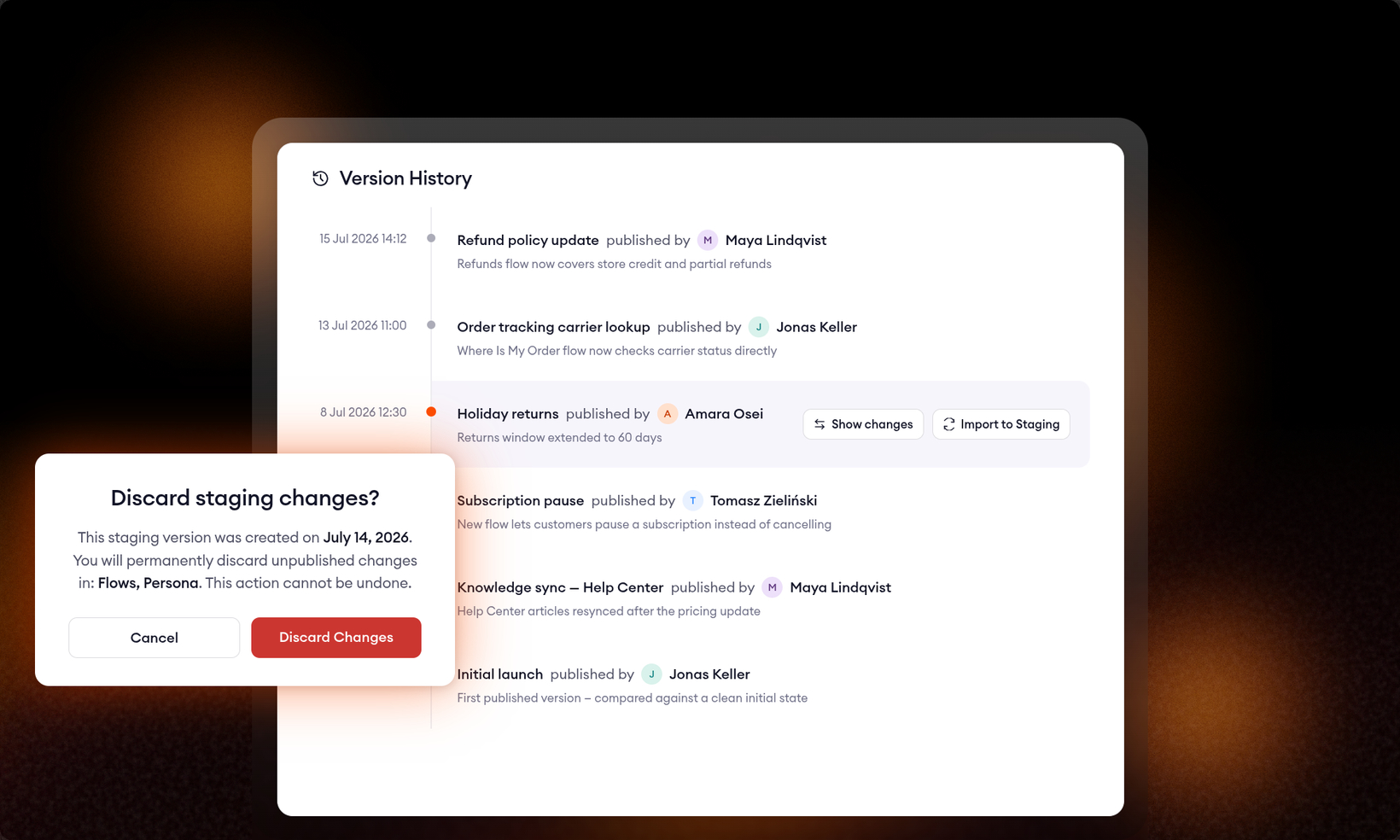
see what changed in any version, at any time
see what's inside every version
Version control only works when you can see what's inside a version. Two changes bring that visibility to your AI agent: one protects you before deleting Staging work, the other lets you inspect the history of anything you've already published.
Review changes before deleting a Staging version
Deleting a Staging version used to be a leap of faith. A generic confirmation, and everything unpublished was gone. Now, clicking Delete staging first opens the full changes view comparing Staging against Live, so you see exactly what you're about to discard: Knowledge, Flows, Playbooks, Persona, and every other configuration area, side by side.
The confirmation is more precise, too:
It lists the exact areas with unpublished changes ("You will permanently discard unpublished changes in: Flows, Persona") along with the date the Staging version was created.
If Staging is identical to Live, a banner tells you there's nothing to lose. Delete it safely.
No more guessing what's in a Staging version someone created three weeks ago.
Show changes in Version History
Every published version in Version History now has a Show changes button. It opens the same diff view you already use before publishing, comparing that version against the one published before it. "What actually went live in this release?" now has an answer, months after the fact. The very first version is compared against a clean initial state.
Together, these close the loop. You review changes before publishing, before deleting, and at any point afterwards. An agent in production should never contain a change nobody can account for.
Both are live now in the AI agent configuration: the delete confirmation in the Staging mode picker, and Show changes on the Version History page.