- DATE:
- AUTHOR:
- Zowie Team
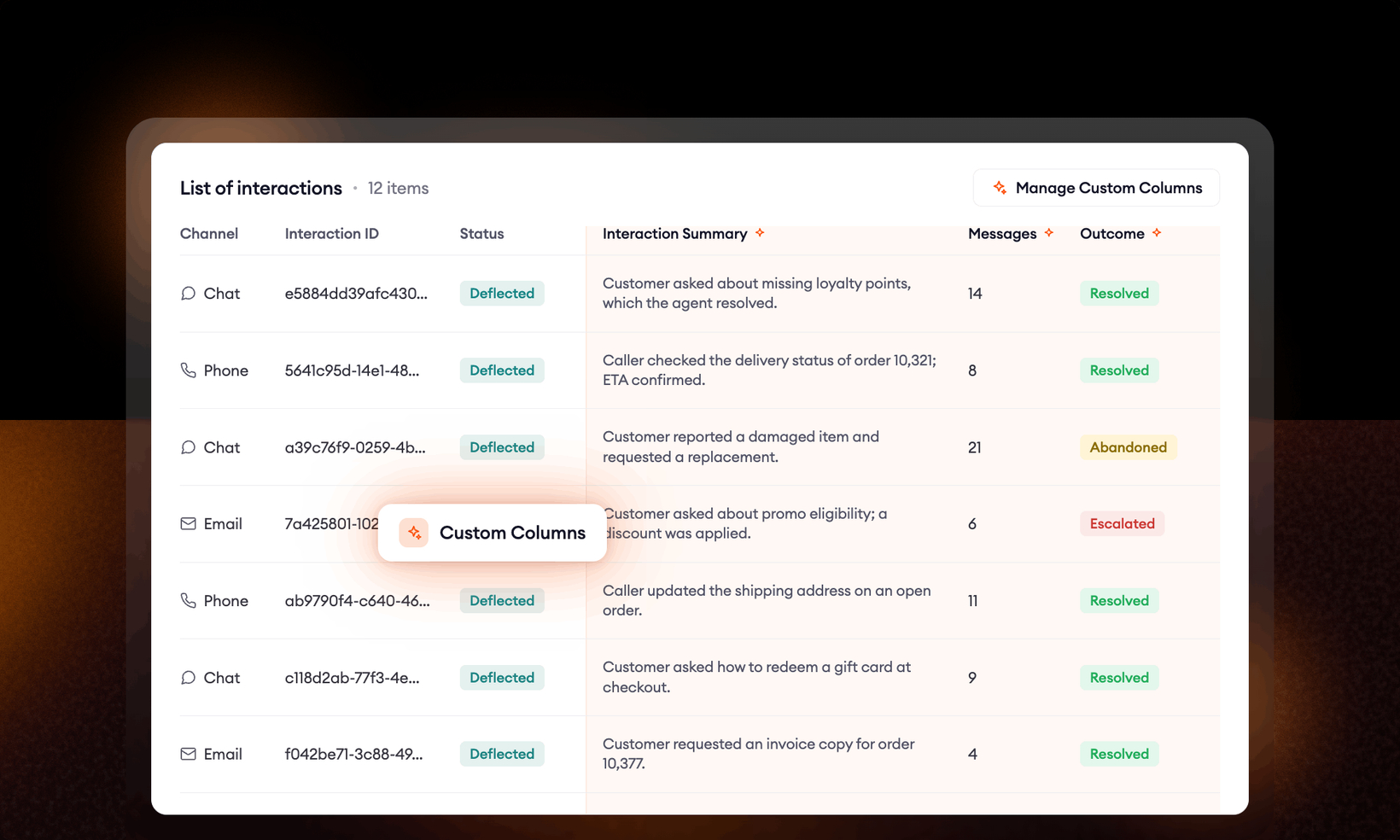
Supervisor's Custom Columns - early access feature
Measure what matters to your operation, in your words.
The Supervisor Interaction table has always visualized what Zowie decided to measure. That changes now.
With Custom Columns, the question that matters this quarter is the one you add yourself.
How it works
You describe a column the way you'd brief an analyst, in plain language. The AI agent reads each conversation as it closes and fills the column in.
No rules to configure, no engineering ticket. A column you create today populates on conversations from today on
Examples
Effort. "Count the customer messages before resolution." Returns a number you can sort your worst cases by.
Outcome. "Classify whether the issue was resolved, escalated, or abandoned." One value per interaction from a list you define.
Summary. "Summarize what the customer wanted and whether they got it." Full-text recap on every interaction, so your team stops reading transcripts.
Three column types cover it: a fixed set of values you define, a number, or free text. You write the instruction, you pick the type.
Test before it goes live
Before a column starts being populated, a run-test panel shows the AI's output on a real sample interaction. You see exactly what it will generate before it produces it. If the instruction is vague, you find out on one conversation, not hundreds.
Get early access
Custom Columns are available now as an early access feature. To turn it on for your workspace, contact your Technical Account Manager.